Contact Form 7
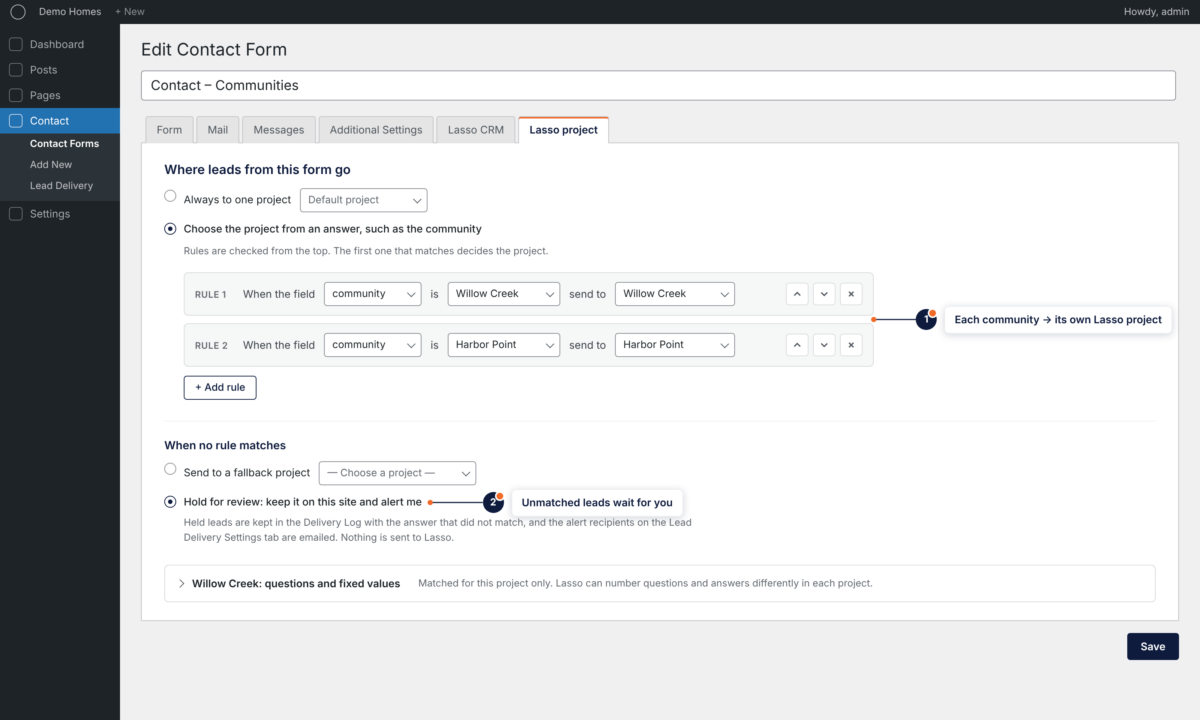
Configure project routing in the form editor. Match the visitor’s answers to the correct project’s fields and questions.

ForgeStudio Lead Delivery Pro for Lasso CRM · A WordPress plugin by ForgeStudio
Connect Contact Form 7 or Gravity Forms to multiple Lasso CRM projects. Route enquiries by the visitor’s answer and see what happened to each lead in your Delivery Log.
The problem
When one website serves several communities, sending the enquiry is only part of the job. It needs to reach the right Lasso project, use that project’s settings and leave a record your team can check.
Lead Delivery Pro brings those decisions into WordPress.
Multiple projects & routing
Connect each community’s Lasso project, then choose where enquiries go. Each destination uses its own field matches, questions and lead values, with assignment handled by the rotation or rep you configure.
Unmatched leads
A blank answer or a new community should have an explicit next step. Choose a fallback project for the form, or hold the lead for review and select its destination yourself.
Delivery visibility
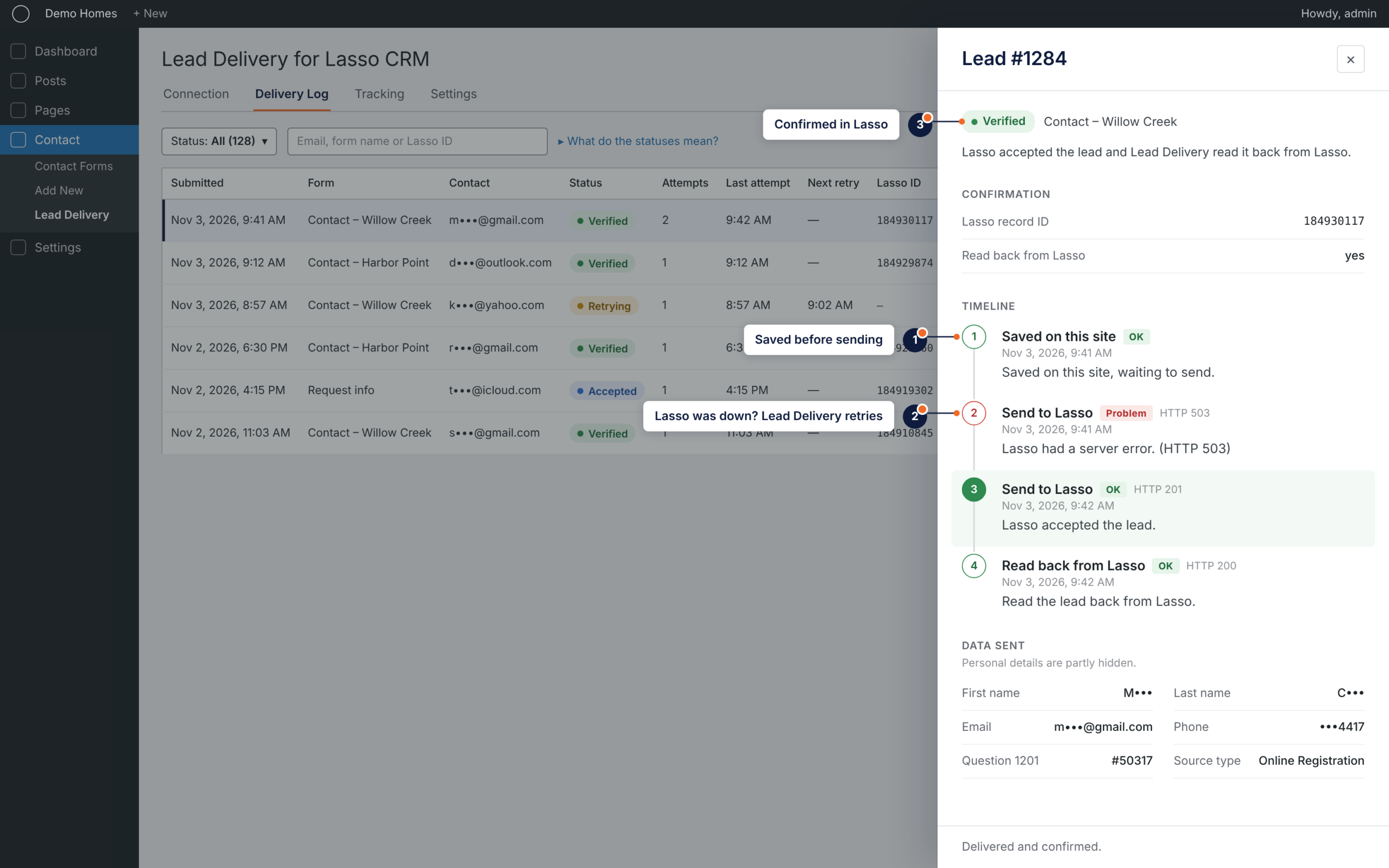
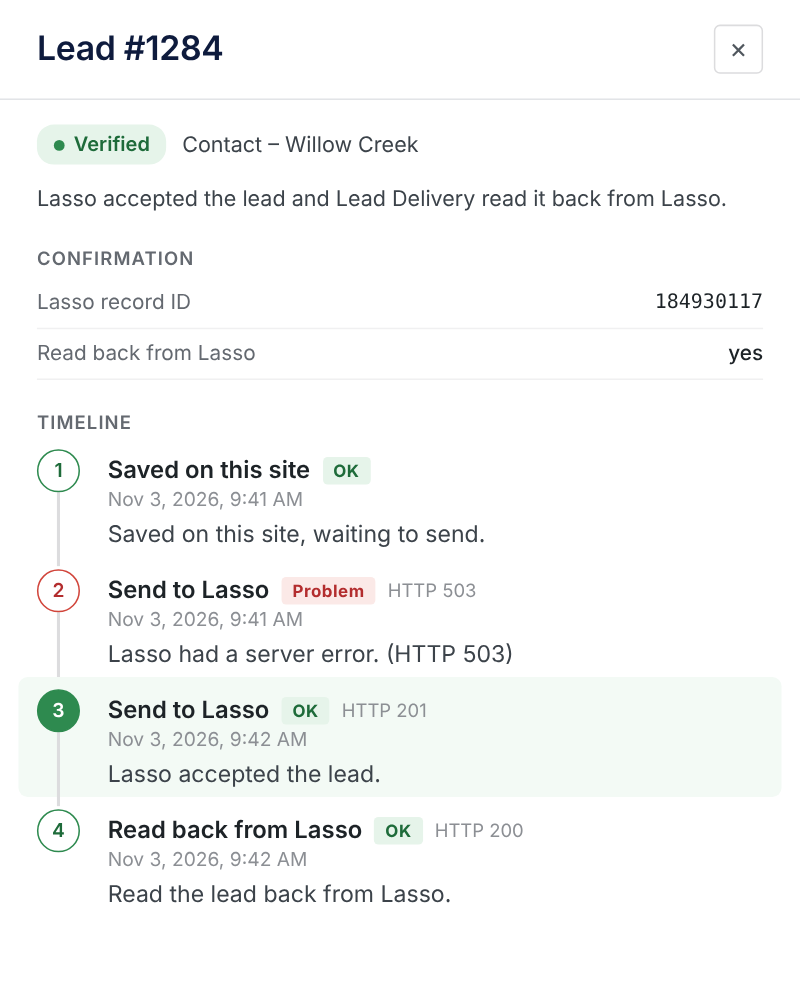
Lead Delivery saves submissions on your website before sending them. Temporary failures can be retried, and the Delivery Log shows attempts, results and leads that need attention.
Read-back verification and automated reconciliation depend on the permissions of your Lasso API key. Buying Lead Delivery Pro does not upgrade your Lasso API access.
Form integrations
Configure project routing in the form editor. Match the visitor’s answers to the correct project’s fields and questions.
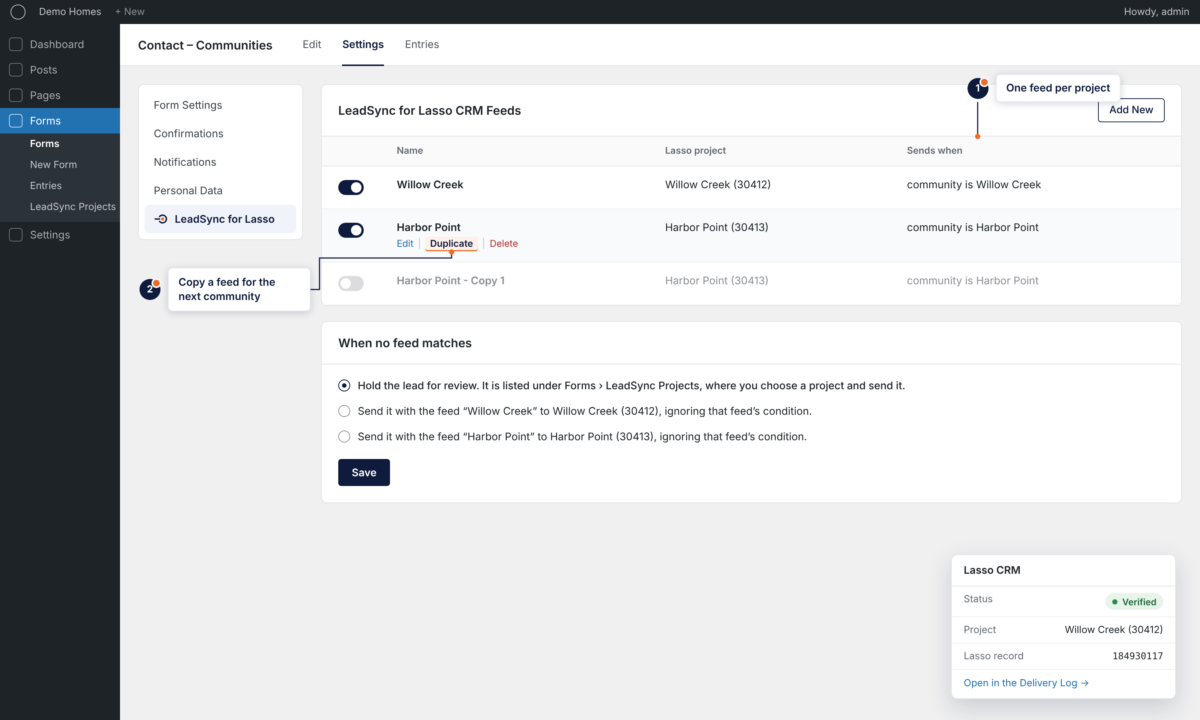
Use native feeds with conditional logic, duplicate a feed for the next project, and check delivery status from the entry.
Lead Delivery Pro 1.0 supports Contact Form 7 and Gravity Forms. It does not yet support Elementor’s native Form widget, WPForms or Ninja Forms. A Contact Form 7 form embedded in an Elementor page remains supported through CF7.
Setup
Lead Delivery Pro adds a guided setup on the Lead Delivery Projects screen, so each project is checked before any real lead depends on it.
Install Lead Delivery and the Pro add-on.
Connect your Lasso projects.
Match fields and configure routing.
Review and send a test lead.
Free and Pro
The free plugin is complete for one Lasso project and Contact Form 7. Pro adds projects, routing and Gravity Forms.
| Feature | ForgeStudio Lead Delivery for Lasso CRM | Lead Delivery Pro |
|---|---|---|
| Contact Form 7 | Included | Included |
| Gravity Forms | Not included | Included |
| Lasso projects | One | Multiple |
| Field and question matching | Included | Per project |
| Delivery Log, retries and alerts | Included | Included |
| Optional consent-aware tracking | Included | Included |
| Routing by answer | Not included | Included |
| Fallback project or hold for review | Not included | Included |
| Guided project setup | Not included | Included |
Pricing
All plans include the same Pro features, multiple Lasso projects, updates and product support during the active subscription.
Billed yearly, plus applicable tax. 14-day money-back guarantee.
Annual subscription. Renews automatically until canceled. Applicable taxes are calculated at checkout.
Lasso CRM and any required Gravity Forms license are purchased separately. The free Lead Delivery plugin must remain installed and active.
FAQ
Not if you send one Contact Form 7 form to one Lasso project — the free ForgeStudio Lead Delivery for Lasso CRM covers that. You need Pro for more than one project, routing by answer, or Gravity Forms.
Lead Delivery Pro
Connect your communities, set the routing and give your team a delivery record they can check.
Choose your licenseForgeStudio Lead Delivery is an independent integration. It is not made, affiliated with or endorsed by Lasso Data Systems or ECI Software Solutions.